 Viv Sharma
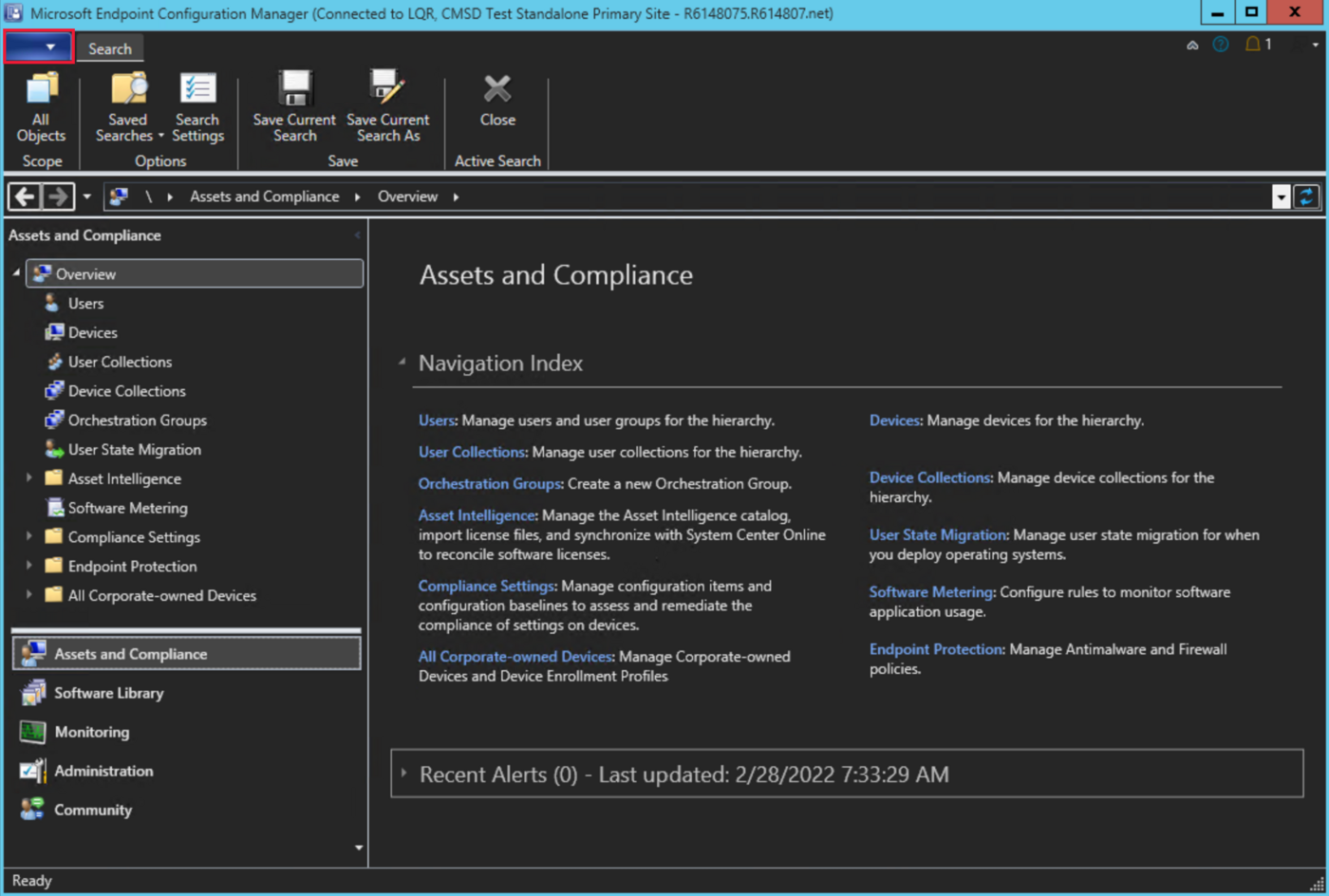
Microsoft Configuration Manager—still commonly called SCCM or MECM—remains a supported and actively serviced product. Configuration Manager current branch version 2603 became globally available in May 2026, with continued focus on security, quality and infrastructure modernisation. The real question is therefore not whether the product exists; it is whether each workload still justifies the infrastructure and operating effort.
The 2026 position
Intune and Configuration Manager solve overlapping but different problems. Intune is a cloud service built around identity, internet connectivity, modern management APIs and policy-driven administration. Configuration Manager is an on-premises management platform with a mature client, distribution architecture, task sequencing, detailed inventory and extensive control over content delivery.
Keeping Configuration Manager is not a failure to modernise when it supports a documented requirement. Keeping it because migration is uncomfortable, ownership is unclear or every historical package is treated as untouchable is different.
Where MECM still matters
Complex operating-system deployment
Task sequences remain useful for bare-metal builds, factory processes, device replacement, offline servicing and workflows with firmware, drivers, pre-flight checks or staged application dependencies.
Large application estates
Organisations with thousands of mature packages, complex dependency chains, custom detection logic and tightly controlled maintenance windows may need a phased conversion rather than a rapid move to Win32 apps.
Constrained networks
Distribution points, peer technologies, boundary groups and scheduling provide granular content control for branches, plants, remote sites and networks where internet-first delivery is not yet practical.
Servers and specialist devices
Configuration Manager can support Windows Server, shared devices and specialised workloads that do not fit a standard Intune enrollment and user-affinity model.
Rich inventory and operational queries
Hardware and software inventory, collections, CMPivot, SQL reporting and established support procedures can provide operational depth that needs deliberate replacement.
Controlled transition
Co-management lets teams move workloads in stages while retaining a known fallback, which is important when security, service desk and application owners must validate each change.
Choose MECM, Intune or both by workload
| Scenario | Preferred direction | Reason |
|---|---|---|
| New Entra-joined Windows 11 fleet | Intune | Cloud-native enrollment, policy, applications, security and internet-based management without site infrastructure. |
| Existing domain-joined estate with complex apps | Co-management | Move compliance, endpoint security, updates and apps in controlled stages while retaining proven deployment capability. |
| Bare-metal or highly customised task sequence | Configuration Manager | Mature orchestration for boot media, drivers, firmware, partitioning and multi-step deployment. |
| Remote-first user with no corporate network dependency | Intune | Internet-native management and Autopilot are simpler than extending on-premises infrastructure. |
| Branch with poor internet but local distribution capacity | Configuration Manager or hybrid content design | Controlled local content can reduce WAN and internet dependency. |
| Mobile, macOS or application-protection scenario | Intune | Cross-platform MDM and MAM capabilities are designed into the service. |
Use co-management deliberately
Co-management is most effective when it has an end state. Avoid enabling it and then leaving every workload permanently in a pilot state. Define which platform is authoritative for each workload, identify the pilot collection, agree success measures and document rollback.
- Establish device identity. Confirm Entra registration or join state, Intune automatic enrollment and healthy Configuration Manager clients.
- Enable cloud attach. Configure tenant attach and relevant cloud services so devices and actions can be surfaced through the Intune admin centre.
- Start with low-risk visibility. Validate inventory, Endpoint Analytics, device timelines and remote actions before moving control.
- Move workloads one at a time. Compliance is often a useful early workload; endpoint security, updates, resource access, device configuration and applications require deeper dependency analysis.
- Measure operational outcomes. Track policy conflicts, enrollment health, support tickets, deployment success and the volume of workloads still dependent on Configuration Manager.
A practical modernisation roadmap
1. Baseline the estate
Inventory clients, site roles, distribution points, applications, packages, task sequences, collections, reports, integrations and every team that consumes Configuration Manager data.
2. Remove avoidable debt
Retire unused applications, duplicate deployments, obsolete operating systems and collections with no owner. Update the site, console and clients to a supported current branch.
3. Design the cloud-native target
Define Entra join, Autopilot, Intune policy architecture, Windows Update for Business, Defender, application packaging, certificates, remote support and reporting.
4. Migrate by persona and dependency
Move straightforward user devices first. Keep specialist devices in a controlled exception service with an owner, review date and exit criteria.
5. Reduce infrastructure safely
Consolidate distribution points and site roles only after content flows, recovery, bandwidth and operational support have been validated.
When is it safe to retire MECM?
- All required devices can be enrolled and managed through the target platform.
- Applications have been repackaged, retired or assigned to an approved exception path.
- Windows deployment and recovery no longer depend on task sequences or PXE.
- Updates, security controls, certificates and remote support have proven replacement services.
- Inventory, reporting and service-management integrations have replacement data sources.
- Server and specialist-device ownership is transferred to an appropriate platform.
- Configuration Manager recovery requirements, data retention and decommission evidence are approved.
The most defensible architecture may run Configuration Manager for a smaller set of justified workloads while Intune becomes the strategic control plane for user endpoints. The objective is not to remove a product for its own sake; it is to reduce duplicate control planes without creating operational or security gaps.
Microsoft references
- What’s new in Configuration Manager version 2603
- Co-management overview
- Cloud attach overview
- Configuration Manager and Windows as a service
- Configuration Manager console
Review note: Confirm current branch support, prerequisites and release notes before changing a production hierarchy.